
In just a few weeks, OpenClaw (formerly known as Clawdbot and Moltbot) has become the fastest-growing open-source project in GitHub history, amassing over 145,000 stars. While most AI tools live in a browser tab, OpenClaw lives on your computer. It isn’t just a chatbot; it is an autonomous personal agent that can “do” rather than […]

The Countdown Is On: What the End of Windows 10 Support Means for You
It’s the end of an era. For nearly a decade, Windows 10 has been the reliable backbone of our digital lives, but Microsoft is officially moving on. If you’re one of the millions still clicking “Remind me later” on that update notification, it’s time to pay attention. The clock is ticking, and the safety net […]

The DeepSeek Revolution: Why 2026 is the Year of Efficient Intelligence
As we enter 2026, the “DeepSeek Shock” of early 2025 has permanently reshaped the AI industry. What was once seen as a disruptive Chinese challenger is now a cornerstone of the global AI ecosystem. While giants like OpenAI and Anthropic continue to scale with massive compute, DeepSeek has carved a unique path by prioritizing radical […]
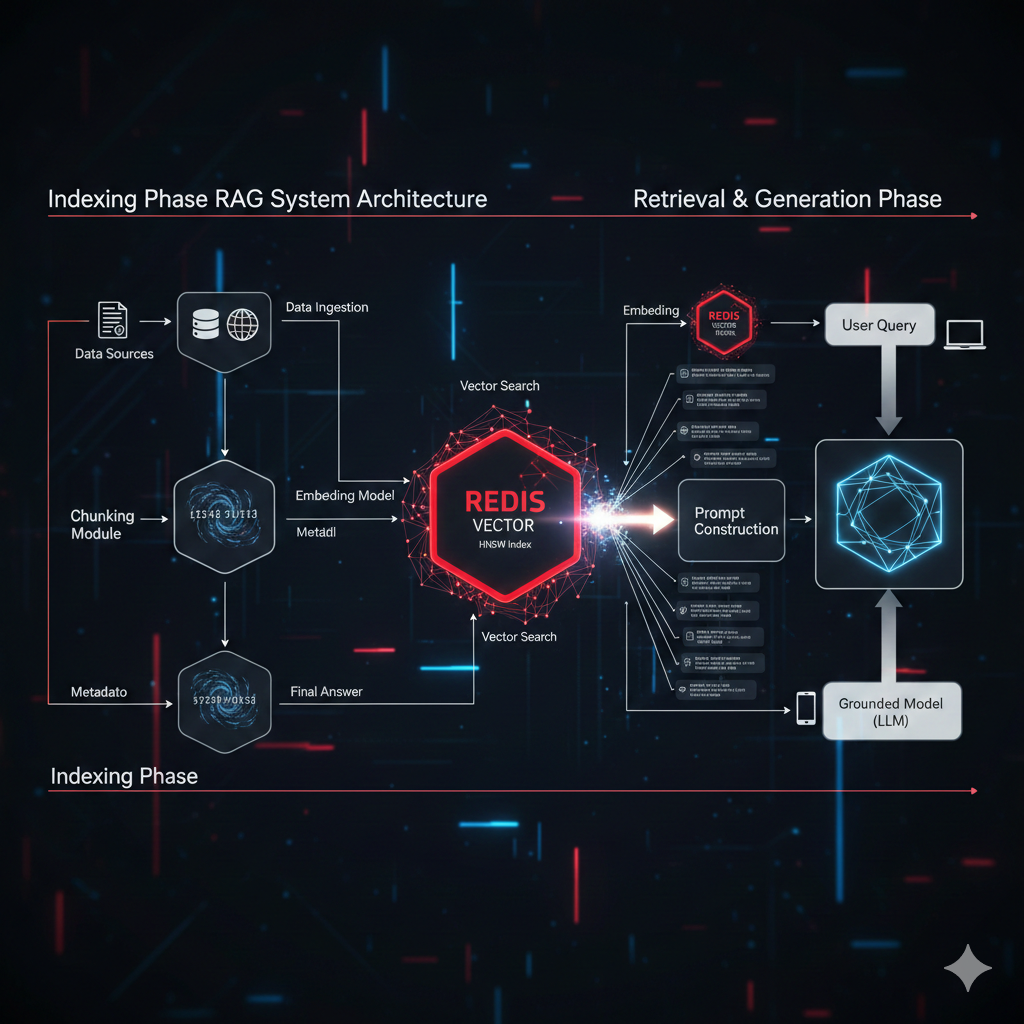
Redis as a Vector Store Powering Real-Time Semantic Search
Harness the speed of Redis for RAG systems! Learn what a Redis Vector Store is, when to use it, and how HNSW indexing makes real-time semantic search possible.

Stalkerware: The Hidden Threat and How Google Chrome is Fighting Back
Stalkerware is a terrifying form of surveillance software that allows intimate partners or abusers to secretly monitor a victim’s location, messages, calls, and browser history. As this digital abuse escalates, tech companies are fighting back. This article details what stalkerware is, its devastating real-world impact, and how a major update to Google Chrome is directly tackling a key vector—abusive notification prompts and website permissions—to help disrupt the hidden threat and protect users’ privacy.

Why The Recent Cloudflare Service Interruption Happened Explained
1) Timeline — the important bits 08:47 UTC (Dec 5, 2025): Cloudflare applied a configuration change intended to protect customers from a disclosed React Server Components vulnerability. The Cloudflare Blog Traffic began failing shortly after; error rates rose for many sites using Cloudflare. AP News ~09:12 UTC: Cloudflare rolled the change back and services were […]

DeepSeek V3: The Next Evolution in AI-Powered Search and Discovery
In the ever-evolving landscape of artificial intelligence, staying ahead of the curve is crucial. Enter DeepSeek V3, the latest iteration of the groundbreaking AI-powered search and discovery platform that is redefining how we interact with information. Whether you’re a researcher, a business professional, or just someone looking for answers, DeepSeek V3 promises to deliver faster, smarter, […]

Understanding DMARC Records: Protecting Your Domain from Email Threats
Email remains one of the most common ways for cybercriminals to deceive individuals and organizations. Phishing attacks, spoofing, and other email-based threats can harm your brand reputation and compromise sensitive data. One powerful tool to combat these threats is DMARC (Domain-based Message Authentication, Reporting, and Conformance). In this article, we’ll explore what DMARC is, why […]

JetBrains Announces Free Non-Commercial Licensing for WebStorm and Rider
In a significant shift for developers, JetBrains has announced that its popular IDEs, WebStorm and Rider, are now available for free to non-commercial users. This follows a similar move made earlier this year with RustRover and Aqua. The new licensing model allows developers involved in open-source projects, learning, hobby programming, and content creation to access […]

The LoveLetter Virus: The Infamous Cyberattack That Shook the World
Lorem ipsum dolor sit amet, consectetur adipiscing elit. Ut elit tellus, luctus nec ullamcorper mattis, pulvinar dapibus leo. The LoveLetter Virus: The Infamous Cyberattack That Shook the World In May 2000, the world witnessed one of the most infamous and destructive cyberattacks in history—the LoveLetter virus. This fast-spreading email worm impacted millions of computers worldwide […]