
Setting SSL HTTPS on Nodejs
There are many ways that we can use to setup SSL/TLS to our Nodejs app. In this post we will forcus on tow of the
There are many ways that we can use to setup SSL/TLS to our Nodejs app. In this post we will forcus on tow of the

Creating a New User SSH to your Ubuntu system and login to MYSQL instance using root user mysql -u root -p Once you have gained
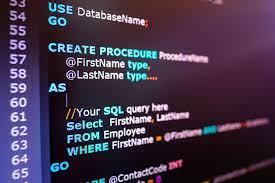
List Forign keys of a table SELECT TABLE_NAME,COLUMN_NAME,CONSTRAINT_NAME, REFERENCED_TABLE_NAME,REFERENCED_COLUMN_NAME FROM INFORMATION_SCHEMA.KEY_COLUMN_USAGE WHERE REFERENCED_TABLE_SCHEMA = ‘<database>’ AND REFERENCED_TABLE_NAME = ‘<table>’; List Forign keys of a table
sudo apt-get remove nodejs sudo apt-get remove npm Then go to /etc/apt/sources.list.d and remove any node list if you have. Then do a sudo apt-get

let message = ‘helloWorld’ let convertedMessage=message.replace(/[A-Z]/g, letter => `_${letter.toLowerCase()}`); console.log(convertedMessage); output -> hello_world

Cron Job Every Minute * * * * * Cron Job Every Hour 0 * * * * Cron Job Every Day Midnight 0 0

Note: This post only provides the key commands of the postgreSQL as a easy way for developers. If you need to learn in depth, please

Update the apt package index and install packages to allow apt to use a repository over HTTPS: sudo apt-get update sudo apt-get install ca-certificates curl gnupg lsb-release Add